


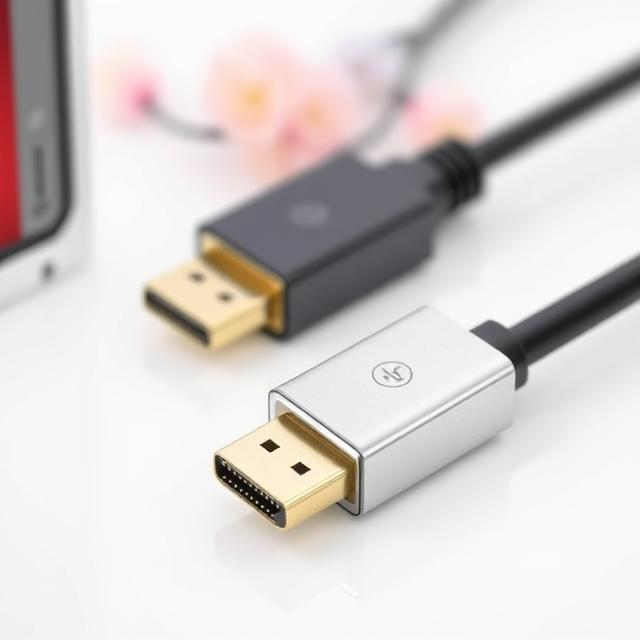
Introduction: The Rise of HDMI to DisplayPort Converters
In today’s world, where video displays are essential for work, gaming, and entertainment, the need for versatile and reliable connections between devices has never been more important. Among the most common video output technologies are HDMI (High-Definition Multimedia Interface) and DisplayPort, both of which offer excellent quality for transmitting audio and video.
However, despite their similarities, HDMI and DisplayPort are not directly compatible with each other. This often leads to confusion among users who wish to connect devices that support different interfaces. Enter the HDMI to DisplayPort converter—a device designed to bridge the gap between these two technologies. In this article, we’ll dive deep into what an HDMI to DisplayPort converter is, how it works, and why it might be the solution to your connectivity challenges.
What is HDMI to DisplayPort and Why Does it Matter?
Before we delve into the specifics of HDMI to DisplayPort converters, it’s important to understand the two technologies involved.
HDMI is a standard video and audio interface used in many consumer electronics like TVs, laptops, game consoles, and media players. It’s popular due to its simplicity and ease of use, allowing users to transmit both video and audio through a single cable.
DisplayPort, on the other hand, is often found in high-end monitors, computers, and professional workstations. It is known for its ability to support high resolutions, high refresh rates, and multi-monitor setups, which makes it a top choice for gamers, content creators, and professionals who require top-tier performance.
However, because these two technologies operate using different physical connectors and data transmission protocols, they are not directly compatible. This is where an HDMI to DisplayPort converter comes in handy. This small yet powerful device allows you to connect a device with an HDMI output to a DisplayPort input, enabling seamless video and audio transfer between incompatible devices.
How Does an HDMI to DisplayPort Converter Work?
An HDMI to DisplayPort converter works by converting the digital signals from the HDMI output into a format that is compatible with the DisplayPort input. Typically, this involves converting the electrical signals and adjusting the data transmission rate and display protocols, ensuring the video and audio signals are transmitted smoothly.
It’s important to note that while HDMI to DisplayPort converters are useful, they are often designed to only work in one direction, meaning that they convert HDMI to DisplayPort, but not the other way around. This is because the two technologies have different signal processing capabilities, and the conversion process requires specialized hardware.
Why Would You Need an HDMI to DisplayPort Converter?
There are many situations where you might need an HDMI to DisplayPort converter. Here are a few scenarios:
-
Connecting Older Devices to Newer Monitors: If you have an older laptop, gaming console, or computer with an HDMI output but wish to connect it to a monitor or display that only supports DisplayPort, an HDMI to DisplayPort converter is the perfect solution. This converter will ensure that you can enjoy high-quality video and audio on your new display without the need to purchase new equipment.
-
Using High-Resolution Displays: Many modern displays, particularly those designed for gaming or professional use, feature DisplayPort inputs due to their ability to support higher resolutions and refresh rates. If you are trying to connect a device with HDMI to one of these advanced monitors, a HDMI to DisplayPort converter can help you take full advantage of the monitor’s capabilities.
-
Multiple Display Setups: Some users prefer to use multiple monitors to boost their productivity or enhance their gaming experience. If your device has an HDMI output but you want to connect to a DisplayPort-enabled monitor, an HDMI to DisplayPort converter allows you to create a multi-display setup without the hassle of upgrading your device.
-
Maximizing the Performance of Your Device: Professional video editors, gamers, and other content creators who require high-end display setups will often benefit from HDMI to DisplayPort converters. DisplayPort supports higher resolutions, refresh rates, and color depths compared to HDMI, so converting your device’s output to DisplayPort may enhance your overall viewing experience.
Benefits of Using an HDMI to DisplayPort Converter
-
Cost-Effective Solution: Upgrading your device or purchasing new cables and adapters can be costly. However, a simple HDMI to DisplayPort converter offers an affordable way to achieve compatibility between your devices without the need for expensive replacements.
-
Compact and Convenient: HDMI to DisplayPort converters are small, lightweight devices that are easy to carry around. This makes them an excellent solution for people on the go, such as business travelers, gamers, or content creators who need to connect to different monitors or projectors during presentations.
-
Preserves Video Quality: DisplayPort is renowned for its ability to deliver high-resolution video and fast refresh rates. A well-designed HDMI to DisplayPort converter ensures that the conversion process does not degrade video quality, allowing you to enjoy the full resolution of your device on a DisplayPort monitor.
-
Versatility in Connectivity: Many HDMI to DisplayPort converters support a wide range of devices, including laptops, desktops, gaming consoles, and more. This makes them a versatile tool for both personal and professional use.
-
Easy to Set Up: Most HDMI to DisplayPort converters are plug-and-play, meaning you don’t need to install any additional drivers or software. Simply connect your devices using the appropriate cables, and the converter will handle the rest.
Factors to Consider When Choosing an HDMI to DisplayPort Converter
When selecting an HDMI to DisplayPort converter, there are a few key factors to keep in mind:
-
Resolution Support: Ensure that the converter supports the resolution you need. Some converters may only support resolutions up to 1080p, while others may be capable of handling 4K or even 8K resolutions. Make sure the converter matches the capabilities of your display.
-
Refresh Rate: If you are using the converter for gaming or professional video work, you’ll want to check that the converter supports the refresh rate required by your device. Many converters support refresh rates of 60Hz, but higher-end models may support 120Hz or 144Hz for smooth gaming experiences.
-
Compatibility: Not all HDMI to DisplayPort converters are compatible with every device. Be sure to check that the converter works with your specific device, whether it’s a laptop, gaming console, or PC. Also, verify that the converter supports the specific HDMI version your device uses, such as HDMI 1.4 or HDMI 2.0.
-
Power Source: Some HDMI to DisplayPort converters are powered through USB, while others may need an external power supply. Choose a model that best fits your setup and ensure that it provides reliable performance.
Troubleshooting Common Issues with HDMI to DisplayPort Converters
While HDMI to DisplayPort converters are generally reliable, you may encounter a few issues along the way. Here are some common problems and their solutions:
-
No Signal: If your display is not receiving a signal, check the connections and ensure that both the HDMI and DisplayPort cables are securely plugged in. Also, verify that the HDMI to DisplayPort converter is properly powered if required.
-
Resolution Mismatch: Sometimes, the converter may not automatically detect the optimal resolution. If the picture appears blurry or distorted, try adjusting the resolution settings on your source device to match the capabilities of your display.
-
Audio Issues: Some converters may have trouble transmitting audio alongside the video signal. Check the audio output settings on your device to ensure that the audio is being routed to the correct output.
Conclusion: Embracing the Power of HDMI to DisplayPort Conversion
In conclusion, HDMI to DisplayPort converters are incredibly valuable tools that help bridge the gap between different display technologies. Whether you’re connecting an older laptop to a high-end display or setting up a multi-monitor system, these converters make it easy to ensure seamless compatibility and optimal performance.
As technology continues to advance, the need for flexible and reliable connectivity options will only grow. Whether for professional, gaming, or entertainment use, HDMI to DisplayPort converters offer a simple, affordable, and effective solution for users looking to connect devices with different video interfaces.